loader

Activity No. 5: Measure a direction and display the value in the serial console (IoT sensors kit)

Using the NUCLEO-IKS01A3 magnetometer
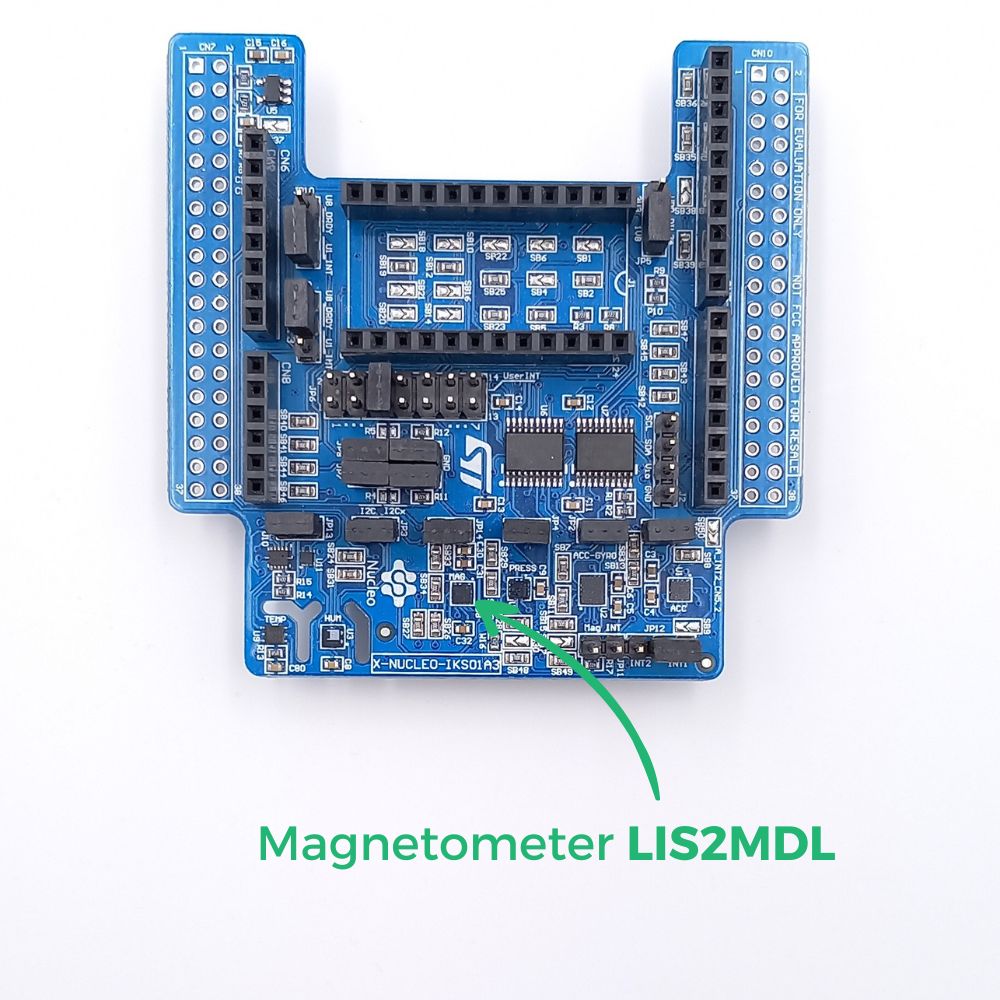
The NUCLEO-IKS01A3 has a MEMS (micro-electro-mechanical systems) module to measure the intensity of the magnetic field on the three axes x, y, z. The information returned by the sensor is a value in `T (microteslas).

The sensor being very sensitive, it can be disturbed by the elements of the environment, like the needle of the compass with a magnet.

Magnetometer-EN

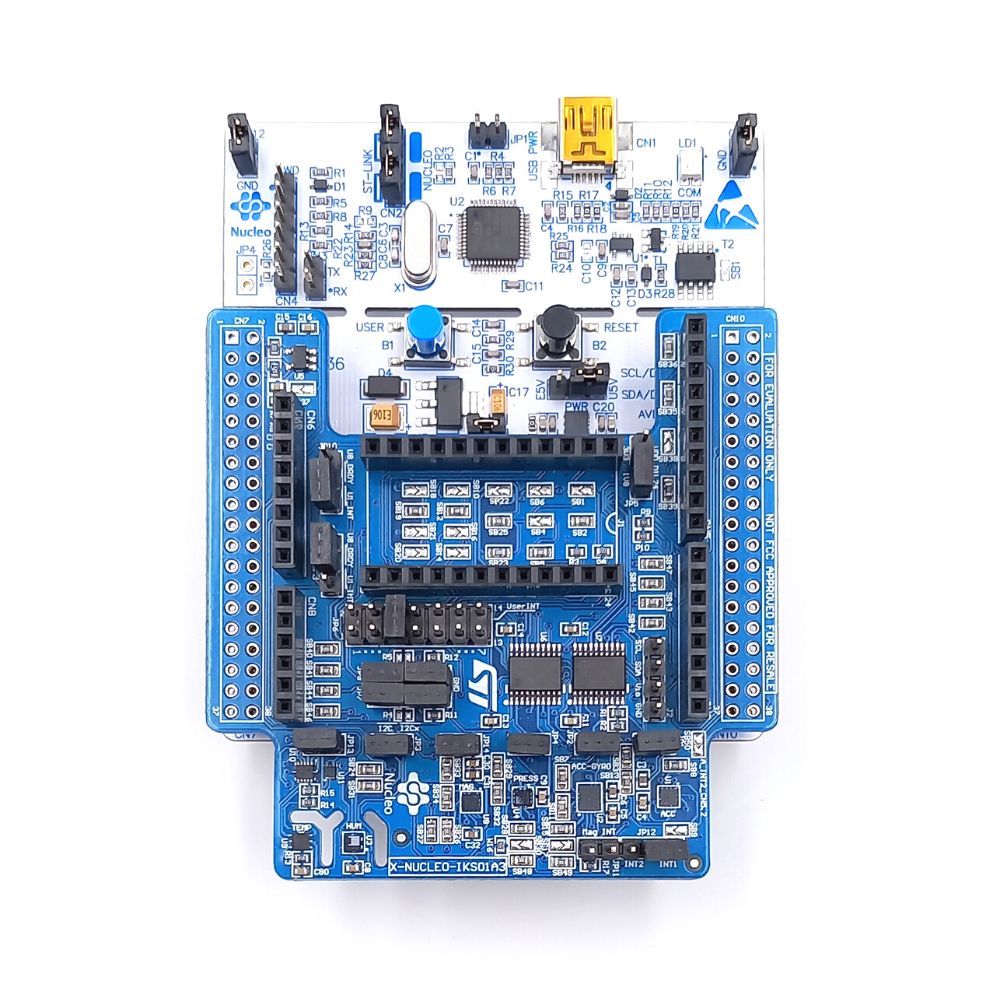
To measure the intensity of the magnetic field using the NUCLEO-L476RG card, the following connection must be made: 
- Connect the NUCLEO-IKS01A3 to the connectors on the card. 
- Connect the L476RG board to the computer using the mini-usb cable

IKS+L476-FR

Let's move on to programming now! 

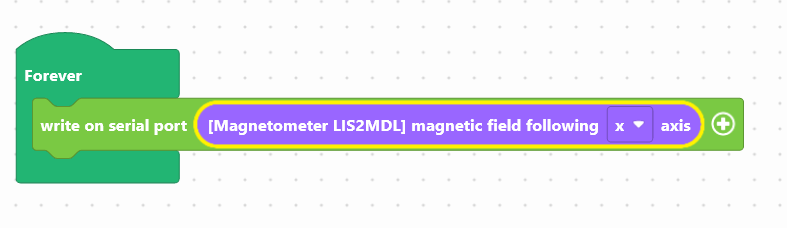
We are going to use two blocks:
- "write in the console", available in the Communication of the block locker to manage the display.
- "[LIS2MDL magnetometer] following magnetic field x ", available in the Sensors, to retrieve the value of the module.

magneto-en
Use the following interface to program the module: 


The value of the magnetic field will be displayed in the console, at the bottom of the interface.

Once the program has been created, it must be copied onto the card. To do this, you must use the "Upload" button (see Activity 0: Getting started with the board)


Did you succeed? Perfect, you now know how to program the temperature sensor using your NUCLEO-L476RG board! 
Discover the other activities of the IoT Sensors kit by clicking on the icons below.