Nous sommes ravis de vous accueillir 😊, Souhaitez-vous recevoir la newsletter mensuelle de Vittascience pour rester informé(e) des nouveautés, événements et contenus pédagogiques ?
Pour finaliser votre inscription, veuillez compléter les champs suivants :
Vittascience place la sécurité et la confidentialité des données personnelles de ses utilisateurs au cœur de ses préoccupations. Découvrez notre politique de protection des données personnelles.

The goal of this tutorial is to help you connect your gateway to The Things Network (TTN) in order to generate a LoRa network.
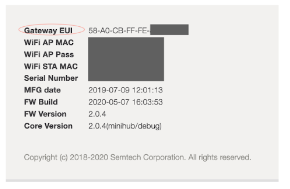
The Things Indoor Gateway is added to The Things Stack via a process called Gateway Claiming.
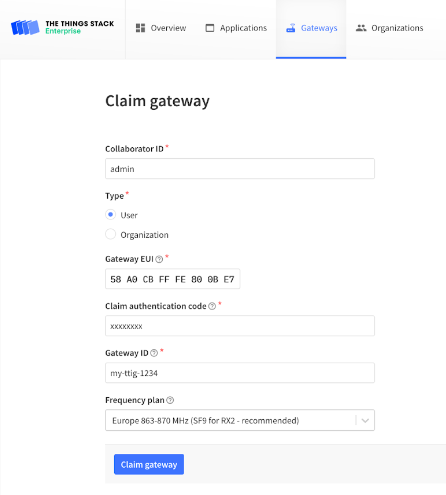
Go to Gateways in the top menu, and click the Claim Gateway button on the upper right to reach the gateway claiming page.
Fill the Gateway EUI, the Claim authentication code (the WiFi Password from Prerequisites), the Gateway ID and choose the appropriate Frequency Plan.
If your gateway has never been configured to any LNS, follow the steps below :
Step 1 : Keep the RESET button (small button at the back of the gateway next to the USB-C port) pressed for 5 seconds until the LED blinks rapidly from GREEN to RED and vice versa for a couple of times.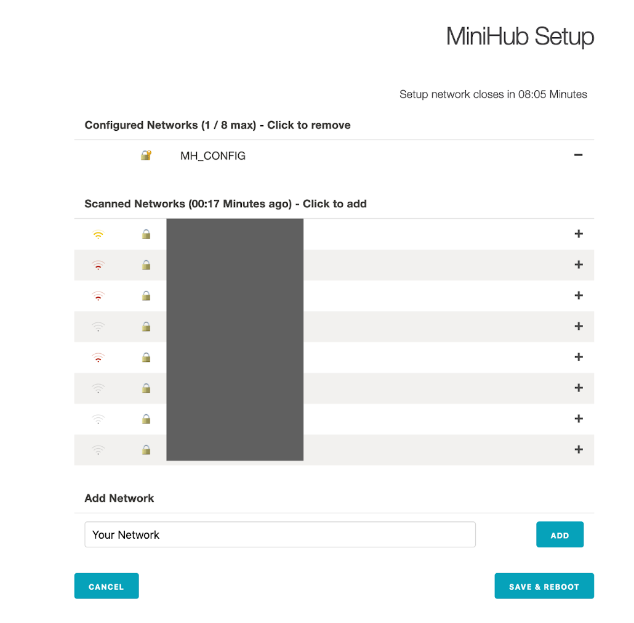
Copyright © 2026 Vittascience